
 Rebuild or move




Uruz
Keeps your cache warm by visiting the URLs in your sitemap, in both the desktop and the mobile cache, so the next visitor gets a cached page instead of waiting for one to be built.
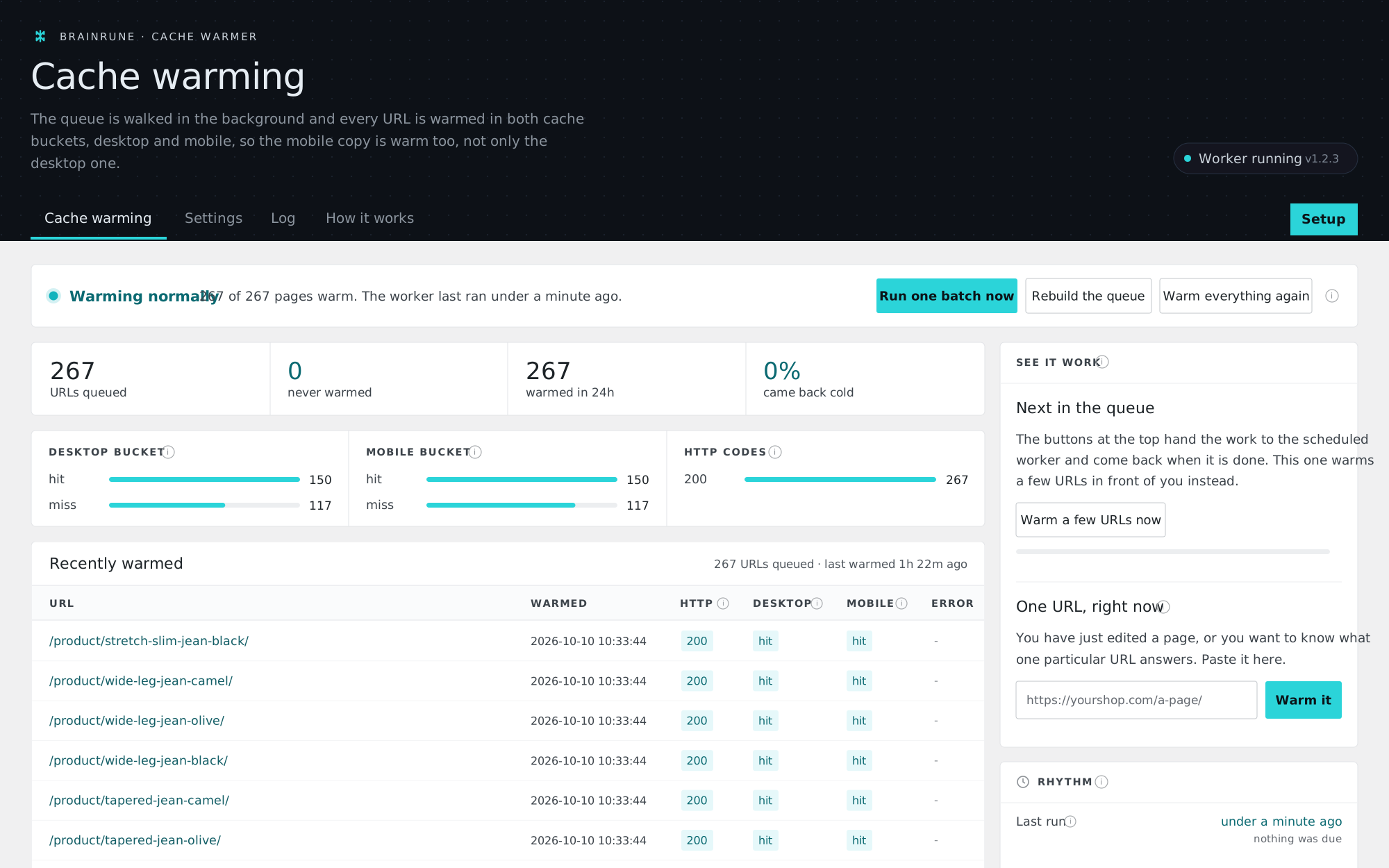
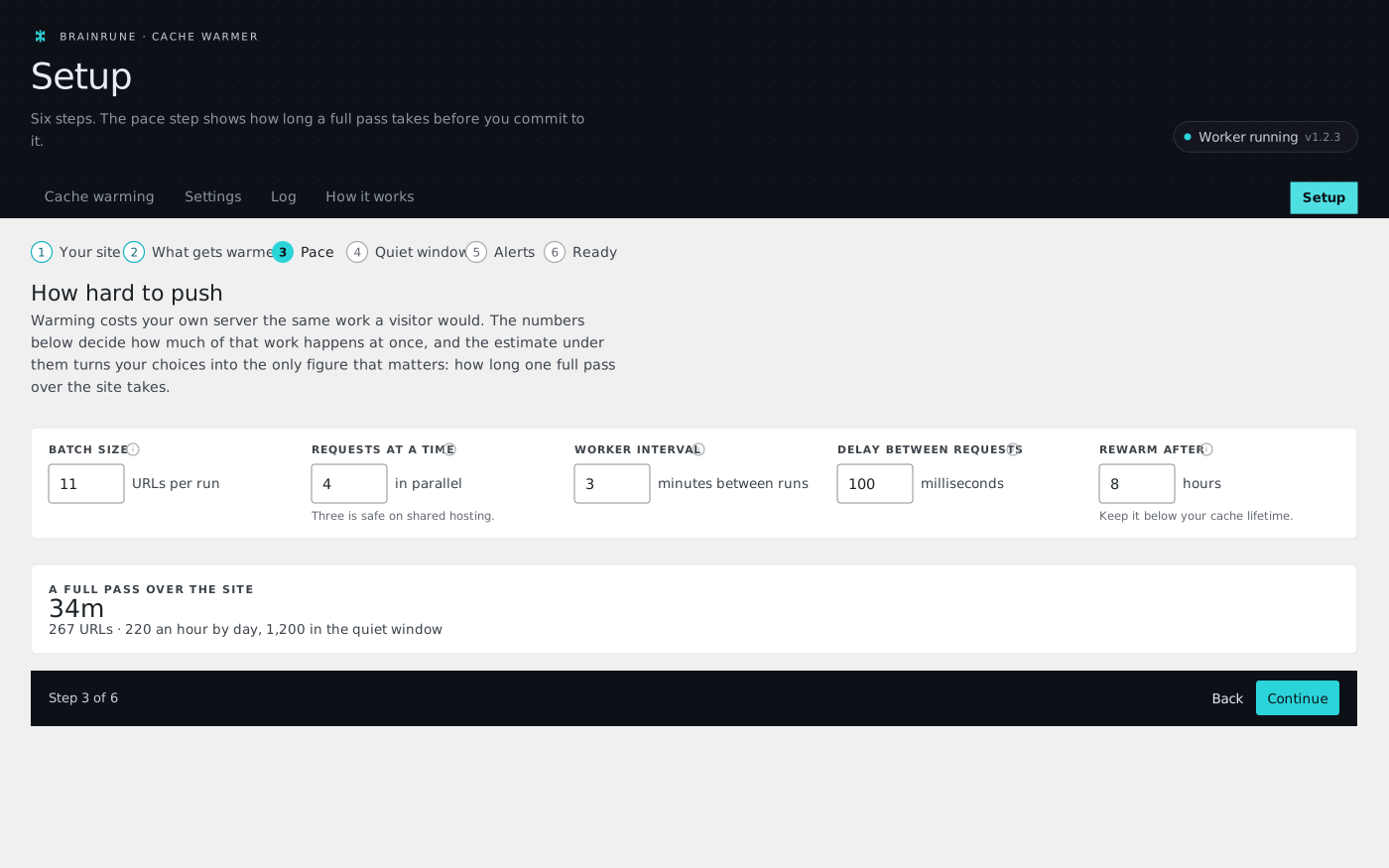
Uruz Cache Warmer is a free WordPress plugin for sites behind a page cache. It reads your XML sitemap and visits every URL, once as a desktop browser and once as a phone, so the first real visitor gets a cached page. It slows down when the server is busy and runs on WP-Cron or a cron URL.
Cold pages on shared hosting.
Many shared hosts switch the cache crawler off, so every page waits for its first visitor to build it, once for desktop and again for phones. Uruz warms both from inside WordPress, for free.
Set up once, then left alone.
The wizard picks the pace with you, the worker runs in the background, and the dashboard tells you in one line whether it still does.
Which caches does it read?
The cache header is detected from the response and reduced to hit, miss, bypass or no cache. Only a real MISS counts as cold.
 LiteSpeed
x-litespeed-cache Cloudflare
cf-cache-status Nginx
x-cache-status, x-proxy-cache, x-fastcgi-cache Varnish
x-cacheable
x-kinsta-cache
x-sg-cachehit Sucuri
x-sucuri-cache 20i
x-20i-cacheCart, checkout and account are never warmed, in every language. Every request carries an identifying header and DNT: 1, so it can be filtered out of your analytics.
The rest, all of it free.
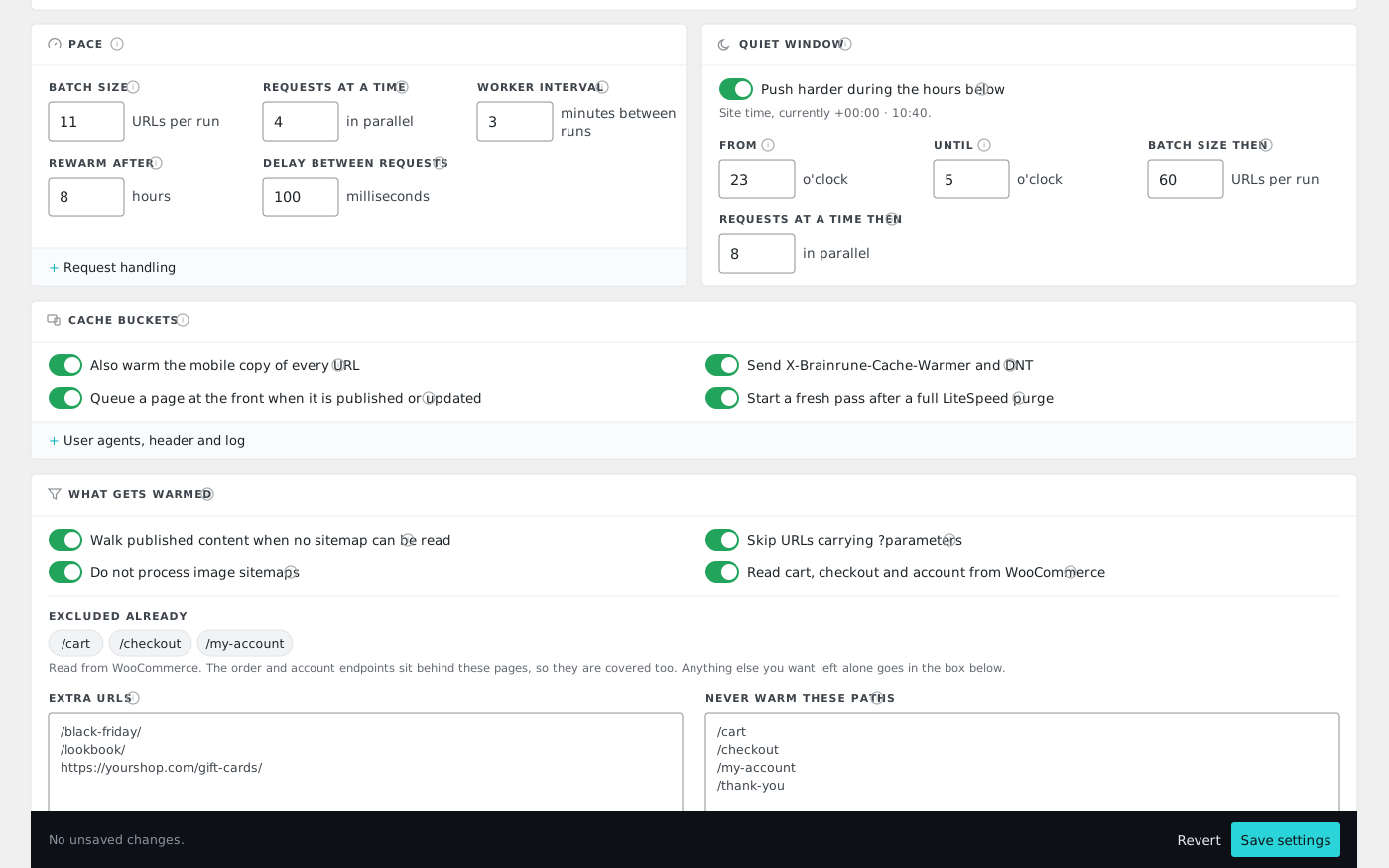
You set the speedBatch size, parallel requests, interval and delay.
Adaptive pacingBacks off when the server slows, honours Retry-After.
Quiet windowBigger batches at night, when nobody shops.
Home page firstThen archives, then everything else.
Any sitemapIndex or urlset; without one, your published content.
Extra URLsPages you list by hand, warmed on top.
Never the cartCart, checkout and account skipped in every language.
New pages at oncePublished or updated, warmed straight away.
Cron from cPanel or PleskA secret URL warms one batch. Add it as a cron job in your hosting panel and it runs even where WP-Cron is unreliable, no WP-CLI needed.
WP-CLIrun rebuild warm status reset
Email alertsWhen too many warmed pages come back cold.
Easy to filter outEvery request carries an identifying header and DNT: 1, so the warmer never shows up as visitors in your logs or server-side analytics.
An honest cold shareCounted from the second pass on: the first request is the one that builds the page, so it is never reported or emailed about.
What does it cost?
Every feature on this page is in the plugin on WordPress.org. No URL limit, no locked screen and no upsell.
- Desktop and mobile warmed separately
- Setup wizard and dashboard
- Adaptive pacing and a quiet window
- Alerts when the worker stops
- WP-CLI and a secret cron URL
Before you install.
Does it hammer my server?
No. A small batch per run, a delay between requests, a 45-second ceiling per run, and adaptive pacing that backs off when the site slows down. All of these are settings.
Should I turn on the mobile pass?
Yes, if your cache serves separate mobile copies, which LiteSpeed and most CDNs do. It doubles the requests per cycle, and the first cycle after you enable it is slow.
Why are URLs never warmed on my low-traffic site?
WP-Cron only fires when somebody visits. Add a real cron entry at your host that calls wp brl-scw run or the secret cron URL shown in Settings.
Can I use it with Cloudflare HTML caching?
Yes, and the plugin reads cf-cache-status. If you also run LiteSpeed, keep one purge strategy rather than two.