
 Rebuild or move




In WooCommerce today
- Six clicks for every category
- Character counts in your head
- Open every category to find what is missing
- No way to rewrite them in bulk
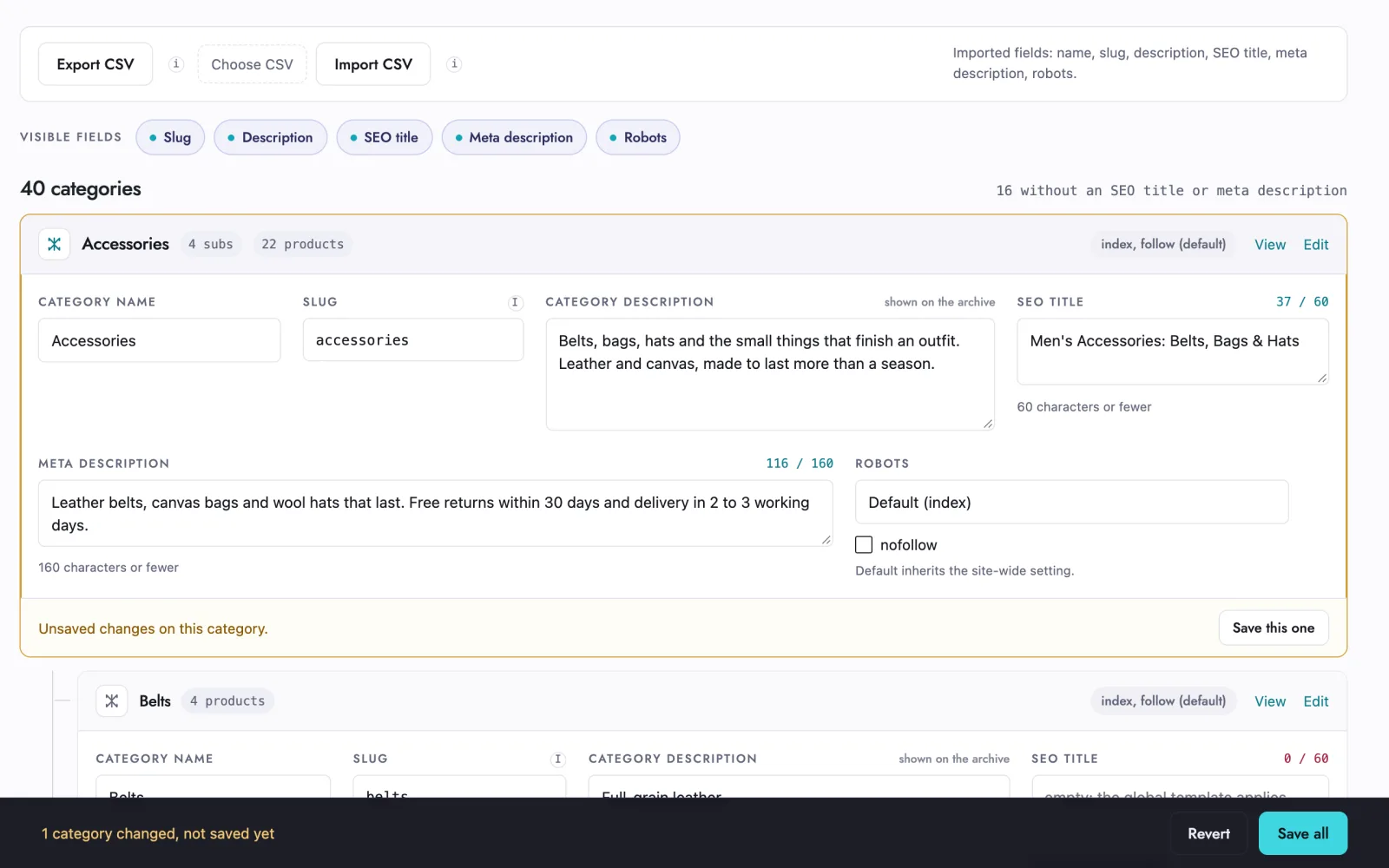
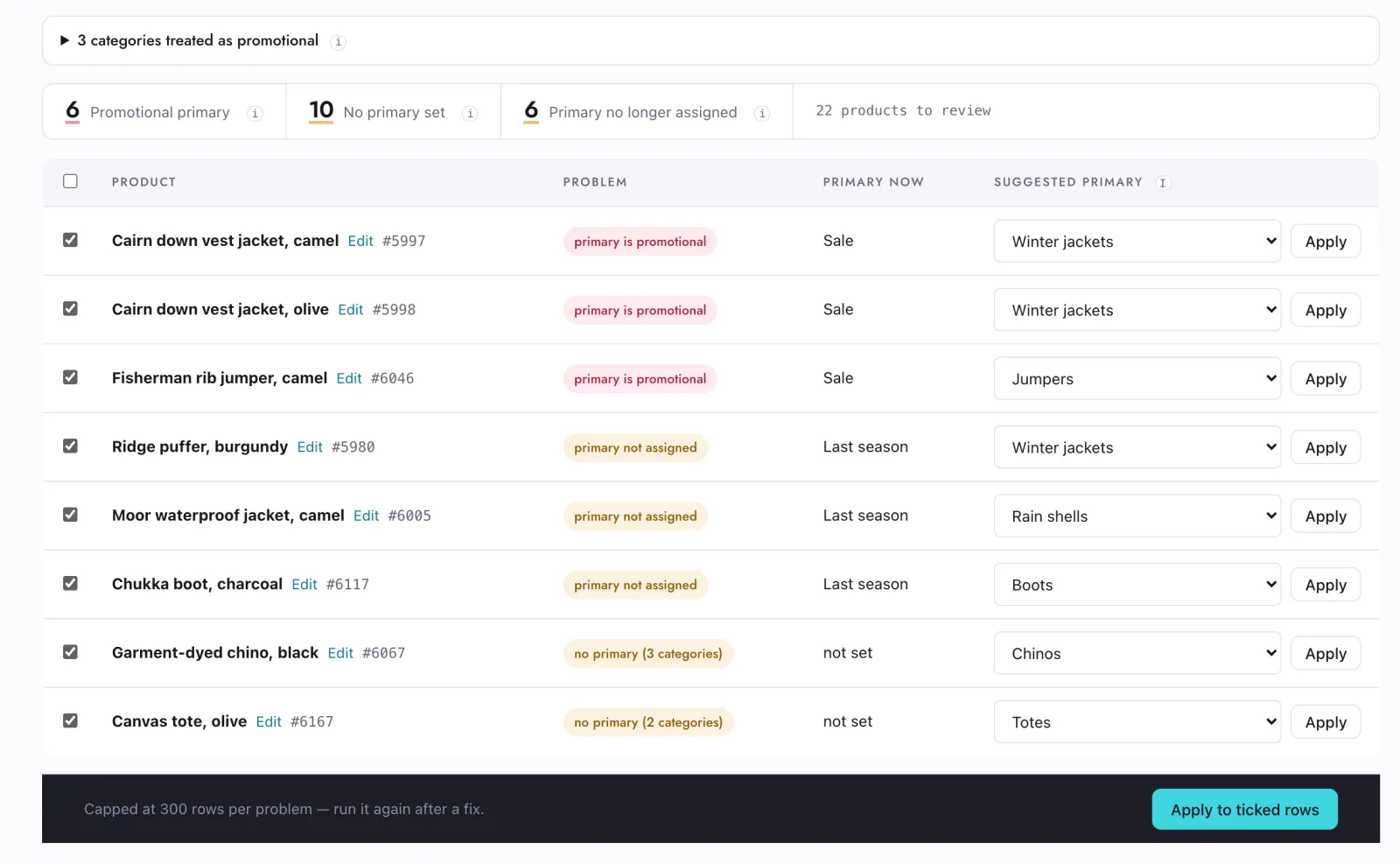
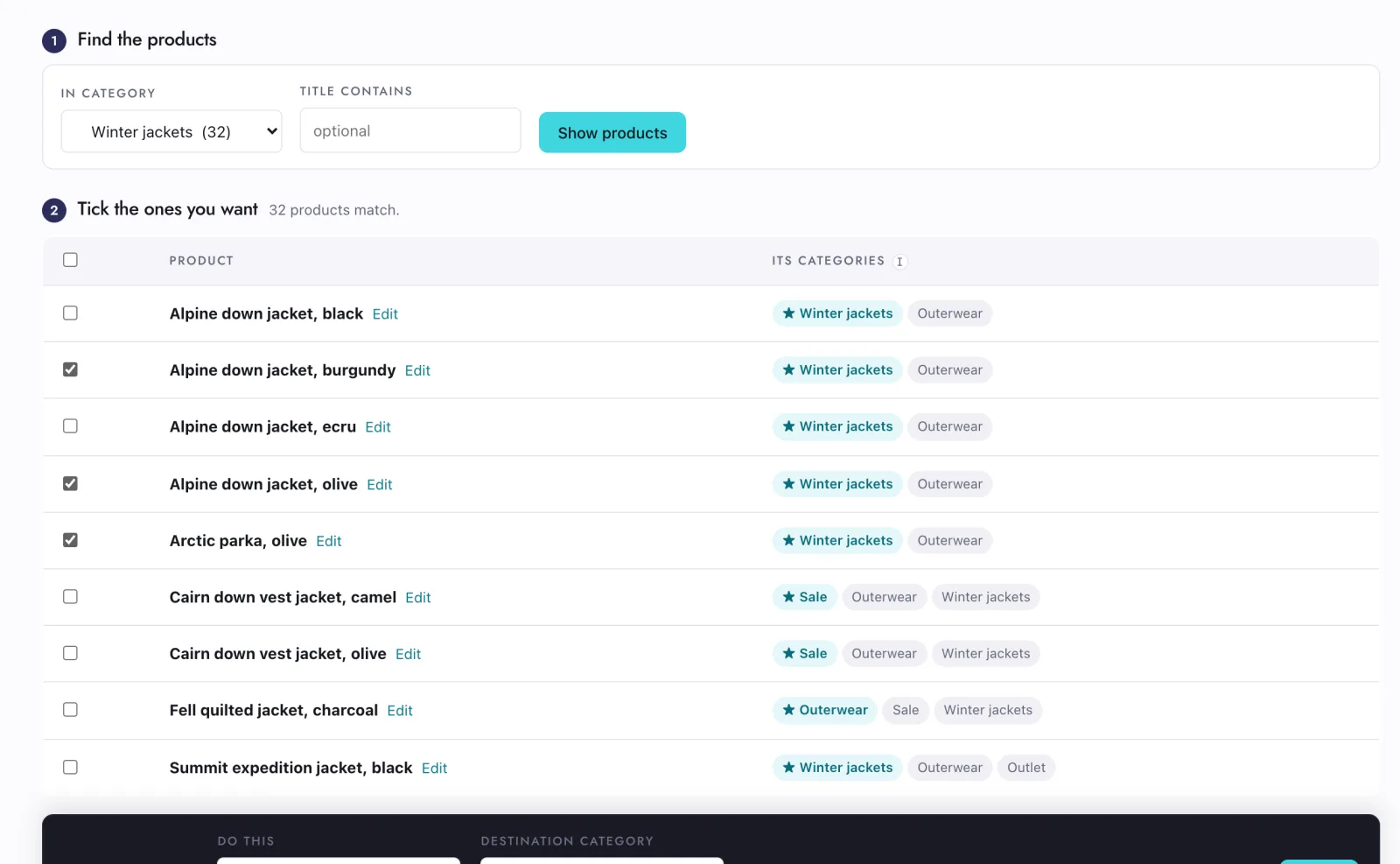
Every product category on one screen: name, slug, description, SEO title, meta description and robots, with live character counts. Pro adds the primary category audit and the bulk moves.


 detected at runtimeIn your SEO pluginno format of its own14-day refundon Pro, from your account
Category SEO Editor for WooCommerce is a free plugin for store owners who manage many product categories. It puts every category on one screen with its name, slug, description, SEO title, meta description and robots, shows live character counts, and imports or exports them as CSV. It works with Rank Math, Yoast SEO and SEOPress.
The work is not hard, it is laid out badly.

The editor is the whole free plugin. The two Pro screens exist because recategorising a catalogue breaks things WooCommerce never warns you about.
No setting to pick. Names, slugs and descriptions work with none of them installed.
Rank MathYesindex, noindex, nofollow Yoast SEOYesindex, noindexSEOPressYesindex, noindex, nofollow
Yoast has no per-term nofollow, so that control hides rather than pretending to save.
Nothing in the free plugin is a countdown or a crippled control. Pro adds the screens that write back across the catalogue.
The Pro plugin needs the free one installed; it adds screens, it does not replace them.
In euro. The price you see is what you pay.
The whole category editor and the CSV round trip, on as many sites as you want.
Everything in Pro while you need it, on one site. Cancel whenever the migration is done.
Yes, the same way changing it in WooCommerce would. The editor flags the field as soon as you type in it, and the save notice counts how many URLs now need a 301.
No. It matches existing categories on term ID, falling back to slug, and updates only the columns the file has: name, slug, description, SEO title, meta description and robots. It never creates categories. Leave out the name and slug columns if you only want to change the SEO fields.
No. Everything happens on your own site. The only call home is the Pro licence check, and it carries the key and your domain, nothing else. The free plugin makes no calls at all.
The yearly plan keeps working with updates paused. The monthly plan switches the Pro screens off until you renew; the free editor and everything you saved stay as they are.
We read every one ourselves and answer by email, with a link to carry it on.
Got it.
We read every one of these ourselves. You get an email with the answer, and a link to carry on the conversation.