
 Rebuild or move



Pixel Tracking

Every order reported to the platforms you buy ads on, from the browser and from the server, deduplicated, and only after the visitor said yes.
Brainrune Pixel Tracking is a WooCommerce plugin for stores that run ads. It sends each order to Meta, GA4, Google Ads, TikTok and the other platforms you use, from the browser and from the server with the same event ID, so every purchase is counted once. Nothing runs before the visitor gives consent.
One purchase, counted once everywhere.
Follow one order from the first click to the report. Real screens, sample orders.
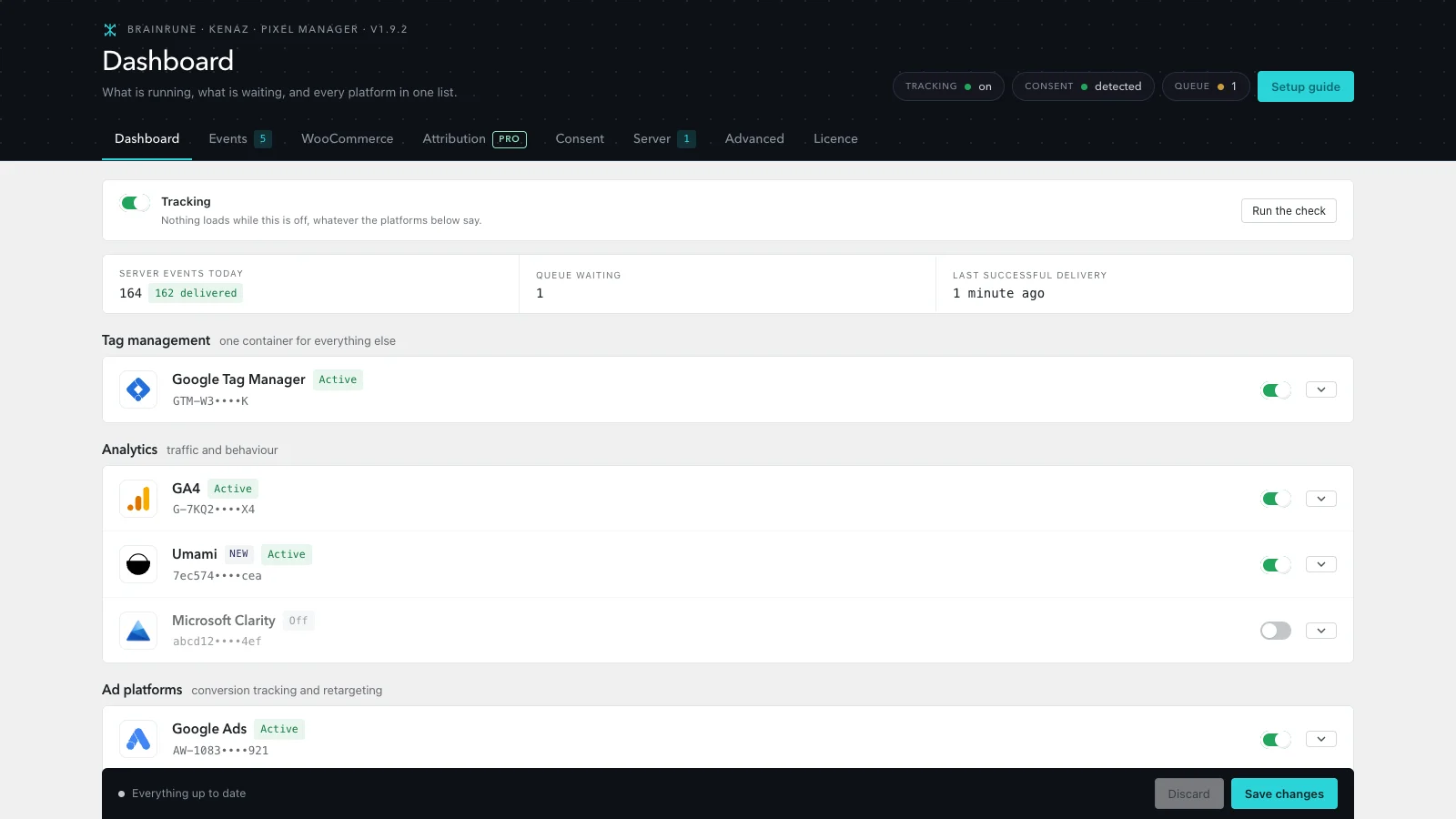
Every platform on one screen
Which tags are on, what reached them today and when the last purchase was delivered.
- Meta, GA4, Google Ads, Tag Manager, TikTok and eight more
- Several tag IDs per platform
- A guided setup for the first run
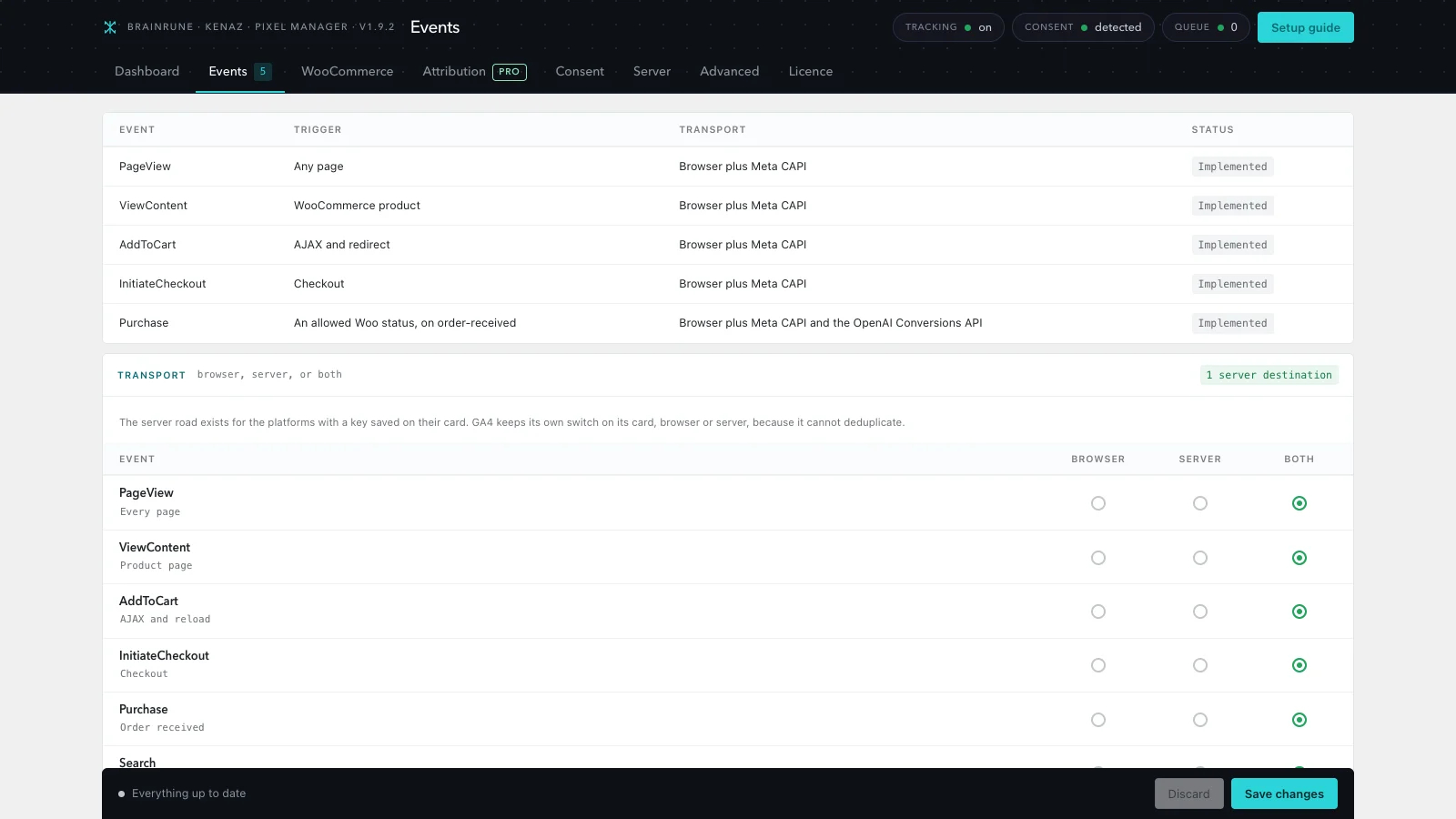
The store funnel, as the platforms name it
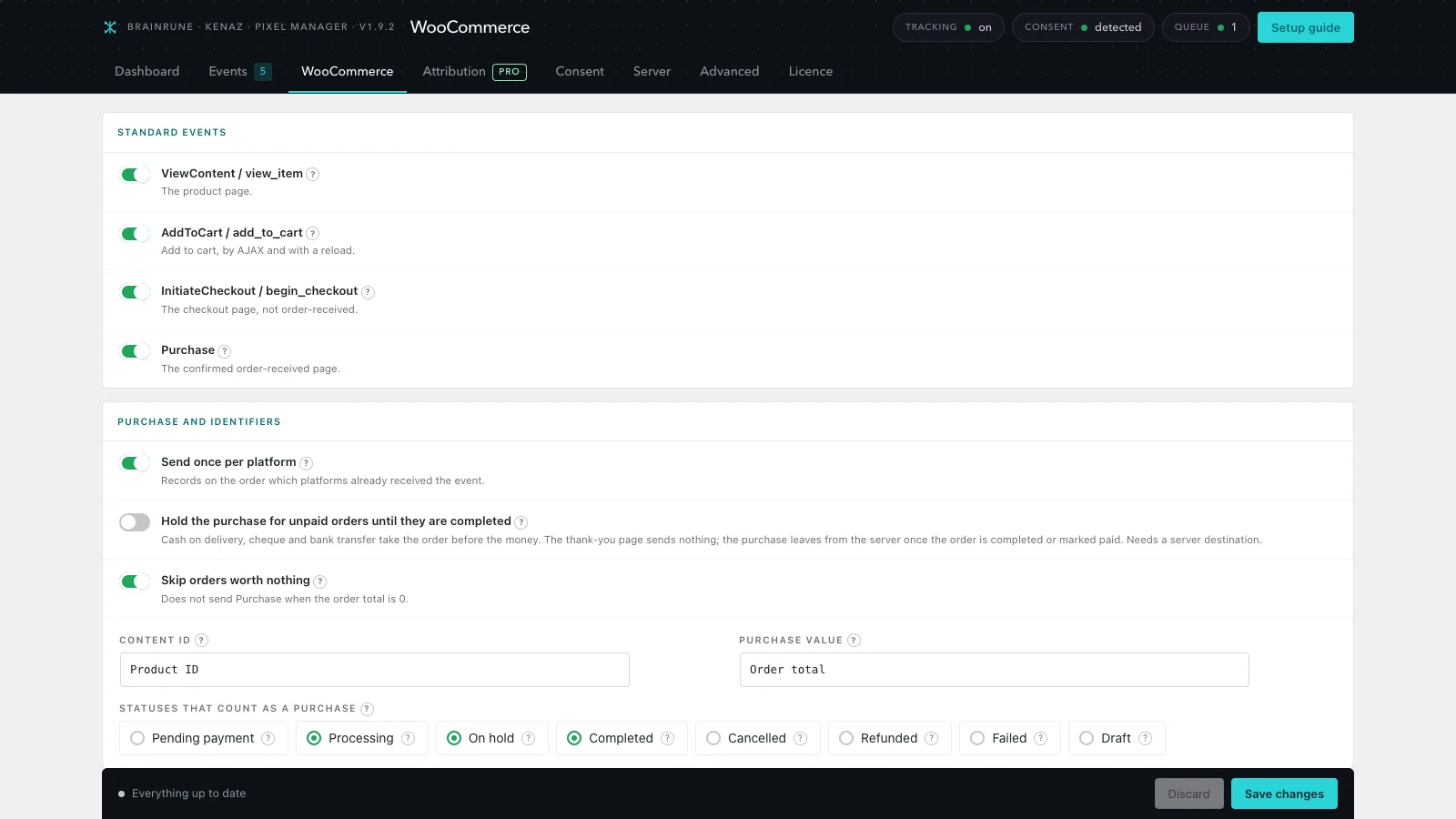
View content, add to cart, checkout and purchase, sent in each platform's own format.
- A thank-you page refresh never resends the order
- Unpaid orders can wait until they are completed
- Browser, server or both, per event
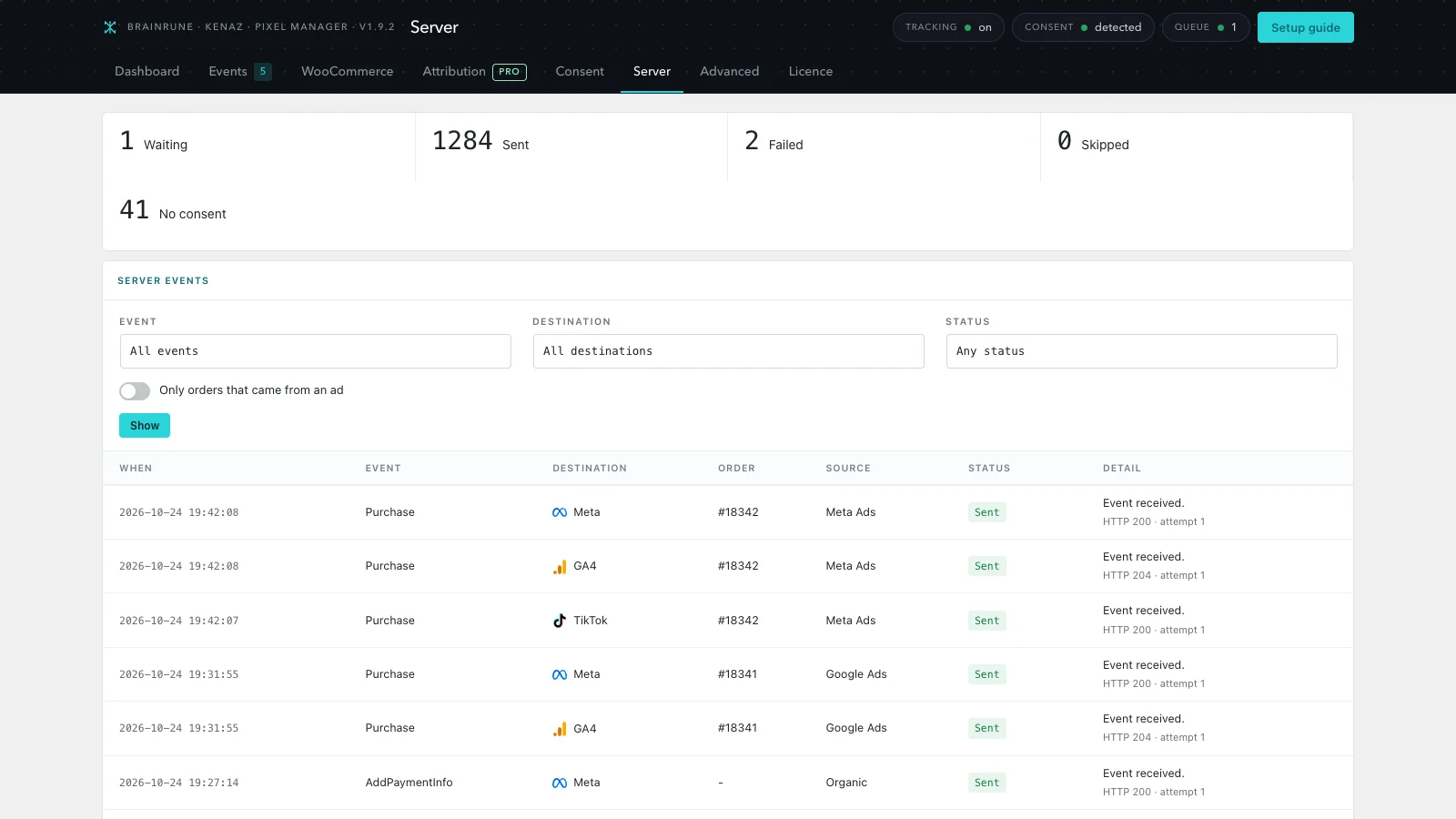
The purchase from the server
Meta Conversions API from a queue that retries, with the answer and a retry button on every row.
- Same event id as the browser, so one purchase counts once
- Retries from one minute to twelve hours
- A Source column: Google Ads, Meta Ads, organic, direct
Tags that wait for the answer
Asks Cookie Consent first, then the WP Consent API, then the cookie left by Cookiebot, CookieYes, Borlabs or Complianz.
- Holds by default when nobody answers
- Every platform mapped to a consent category
- The consent stored on the order applies server side
The rest of the funnel, and the customer
Listings, cart page, shipping and payment chosen, plus lifetime value and cohorts on the purchase.
- Server delivery for TikTok, GA4, Pinterest, Snapchat and Reddit
- Deduplicated with the browser tag
- First-time, returning, VIP: audiences built on them
Events on clicks, scroll and forms
Clicks, scroll depth, timers, videos and the success of nine form plugins, each sent where you choose.
- Never reads a password, card or hidden field
- Fires on the confirmation, not on the submit
- Only an administrator changes what leaves the site
Where the orders came from
Source, medium, campaign and landing page on every order, and an offline export for the ad platforms.
- Orders and revenue per source and campaign
- Who ordered on their first visit
- Offline export with hashed email and phone
Which platforms does it send orders to?
Browser tags for all of them. The purchase also leaves from the server where the platform has an API for it.
Server events in free


Server events with Pro




Browser tags


Coming next








Every tag waits for consent unless you say otherwise. Umami can load without it, because it sets no cookies.
Free counts the orders Pro tells you where they came from.
The free plugin has no licence check and nothing locked. Pro is a separate plugin that adds to it.
 Pixel Trackingserver events, reportsCookie Consentscan, blocking, log
A Pixel Tracking Pro licence turns on Cookie Consent Pro too, on the same sites.
Brainrune Cookie ConsentCookie banner, script blocking and a consent log. Pairs with Pixel Tracking.View moreHow much does Pro cost?
In euro. The price you see is what you pay.
Browser tags for 13 platforms, Meta and OpenAI from the server, and consent handled, on as many sites as you want.
- Meta, GA4, Google Ads, TikTok and nine more
- Meta Conversions API, deduplicated
- Google Consent Mode v2
- Server queue with retries and a log
Pixel Tracking Pro and Cookie Consent Pro on 1 site, paid once a year.
- Server events for GA4, TikTok, Pinterest, Snapchat and Reddit
- Custom events on clicks, scroll, timers and forms
- Sources report by campaign and landing page
- Offline export, lifetime value and cohorts
- Support chat in your account
Pixel Tracking Pro and Cookie Consent Pro on up to 30 client sites, on one key.
- Up to 30 sites on one licence key
- The key stays in your account, your clients never see it
- Support chat in your account
Before you install.
Will a purchase be counted twice?
No. The browser and the server send the purchase with the same event id, and each platform keeps one. A refresh of the thank-you page sends nothing again.
Does it work without a consent banner?
Yes, but tags hold by default when no consent source answers. Install Cookie Consent or another banner, and the Consent tab shows which one answered.
Can I move from another tracking plugin?
Yes. Switch the old one off first, so the same pixel is not printed twice, then add your IDs on the Dashboard. The guided setup walks you through it.
Is anything sent to Brainrune?
No. Events go to the platforms you switch on, with your own IDs and tokens. The free plugin has no licence check.