
 Rebuild or move




Shipment Tracking

Live status from your customers' courier, on a tracking page on your own domain and inside the order emails. Sameday, Cargus, FAN Courier and 15 more.
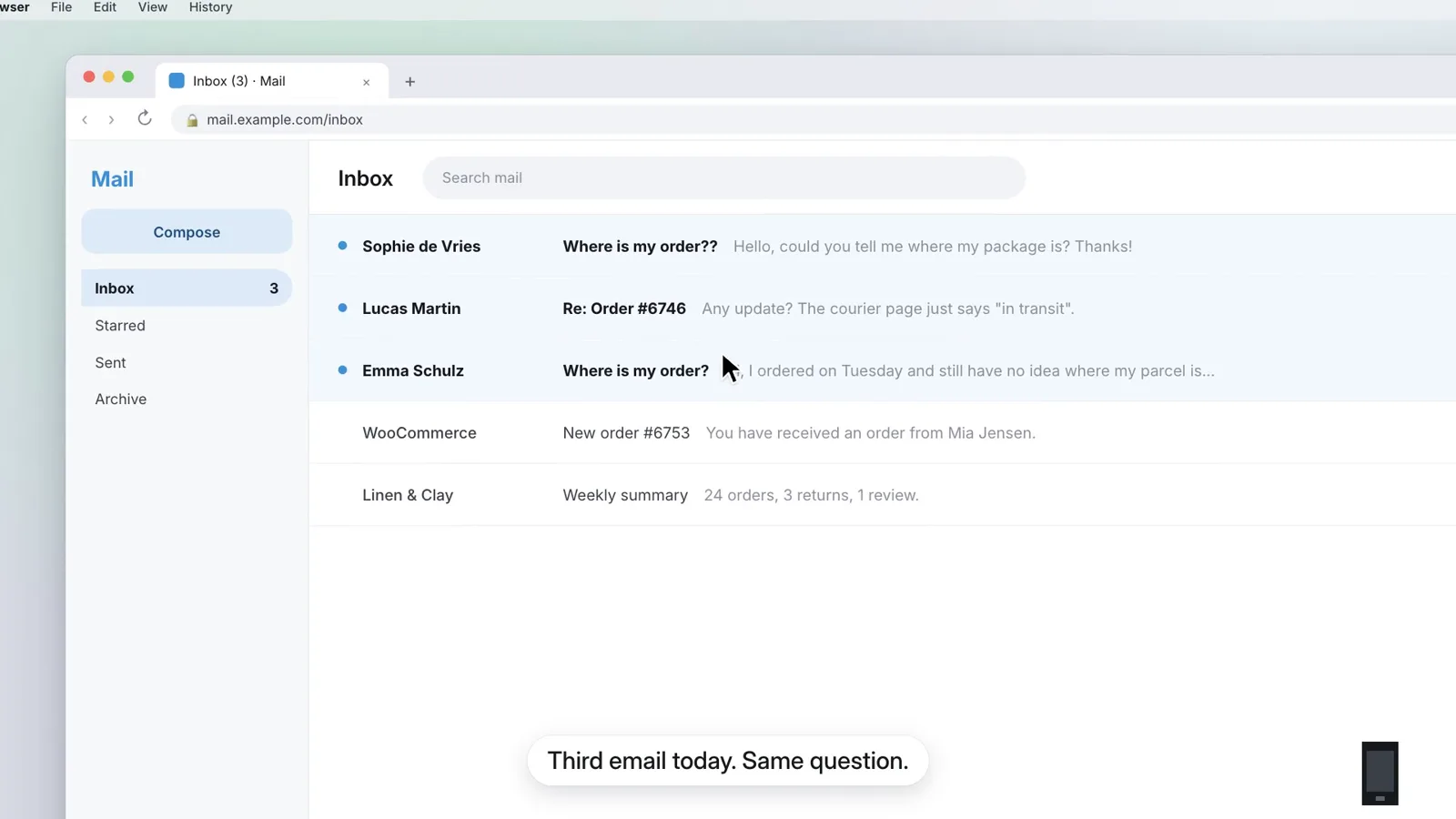
Shipment Tracking for WooCommerce is a plugin for stores that ship with Sameday, Cargus, FAN Courier and 15 other couriers. It asks the courier for the live status and shows it on a tracking page on your domain and in the order emails. Pro adds alerts, cash on delivery and delivery times per courier.
One tracking number, everywhere it is needed.
The moment a parcel number lands on the order, typed by hand or written by the Sameday or Cargus plugin, it shows up in the email, on the tracking page and in your orders list. Real screens, sample orders.
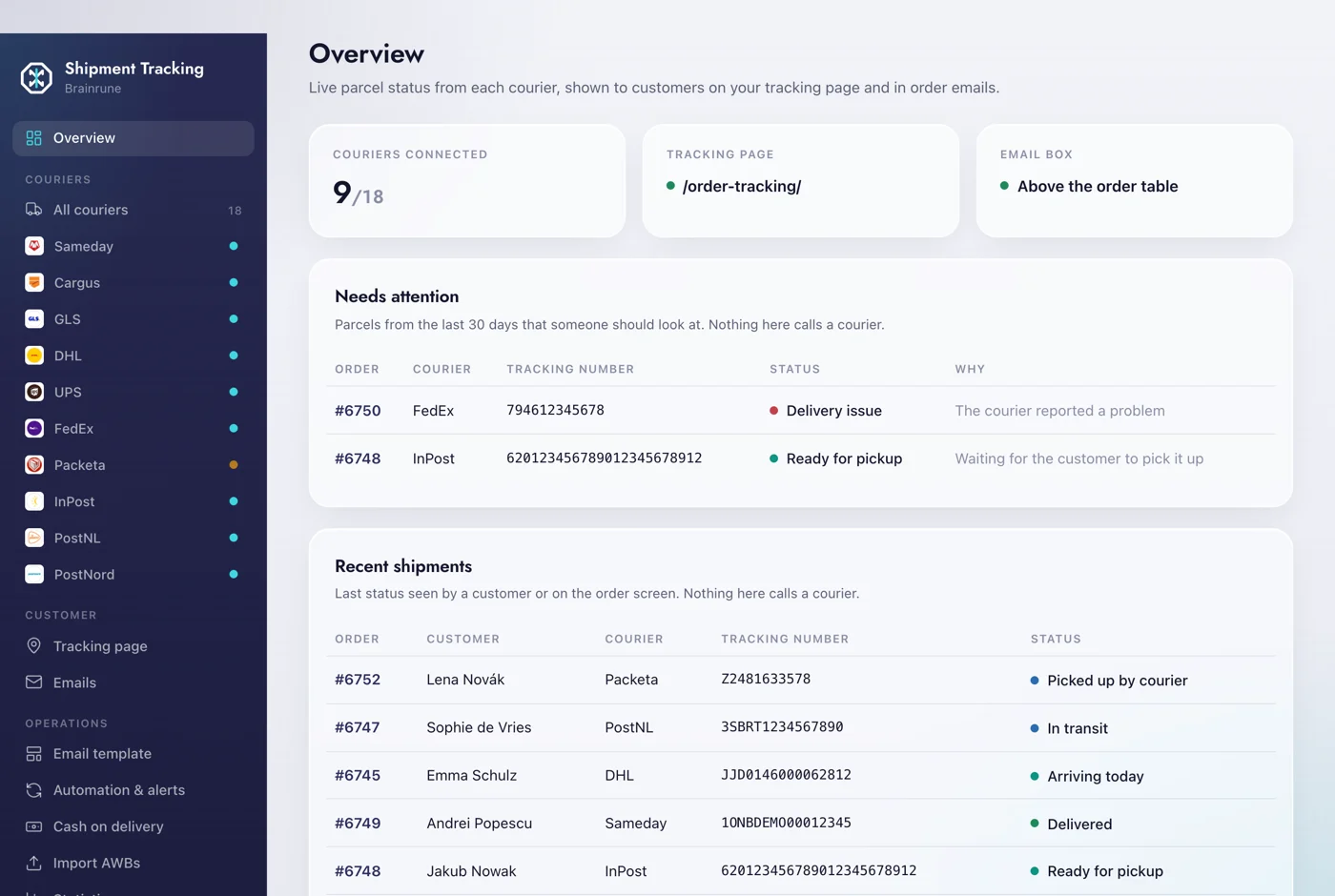
Every parcel at a glance
Couriers connected, the tracking page, where the email box goes, and the parcels someone should look at.
- Needs attention: delivery problems, returns, parcels waiting in a locker
- Recent shipments with the last status the courier gave
- Nothing here calls a courier; it reads what is already saved
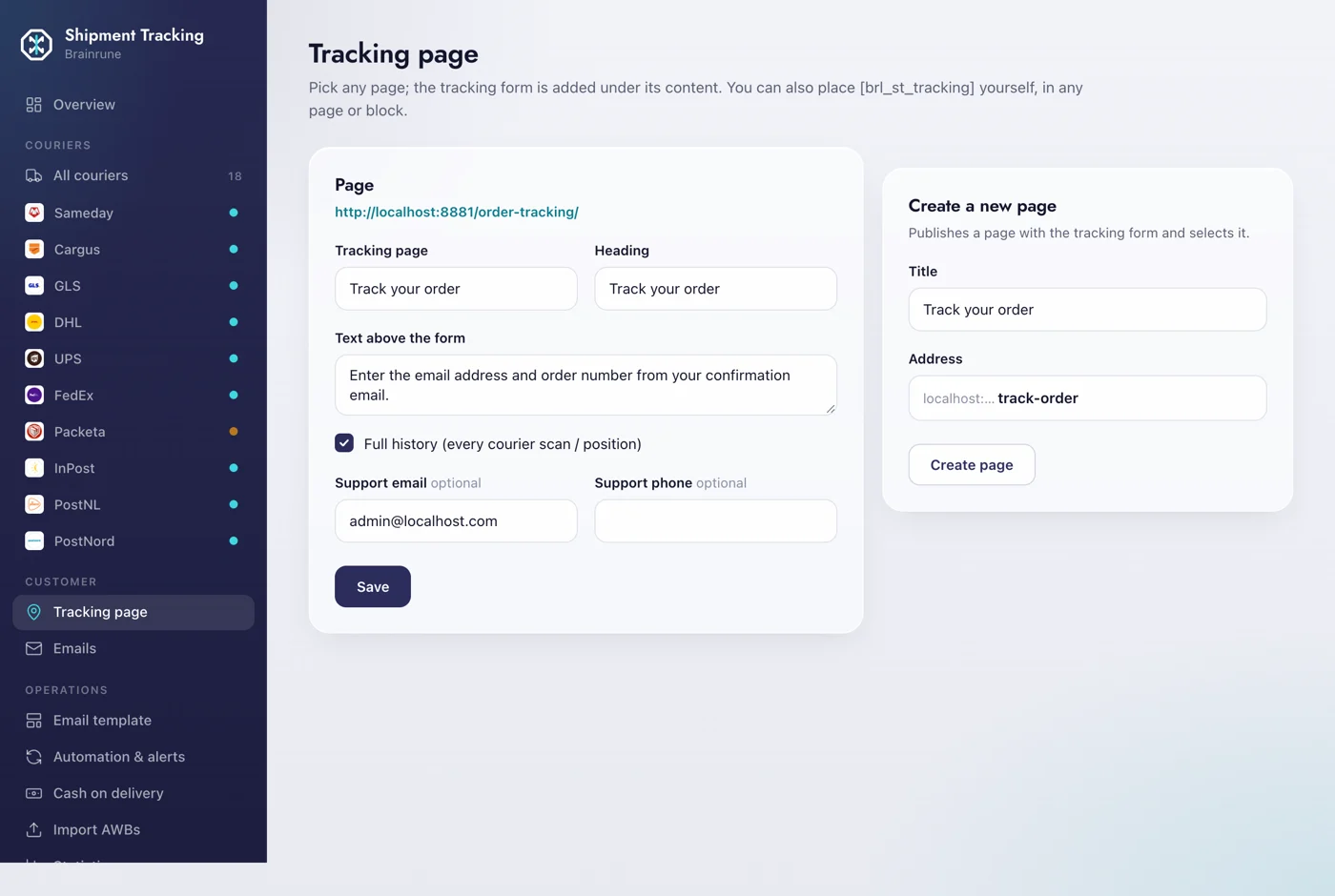
A page on your own domain
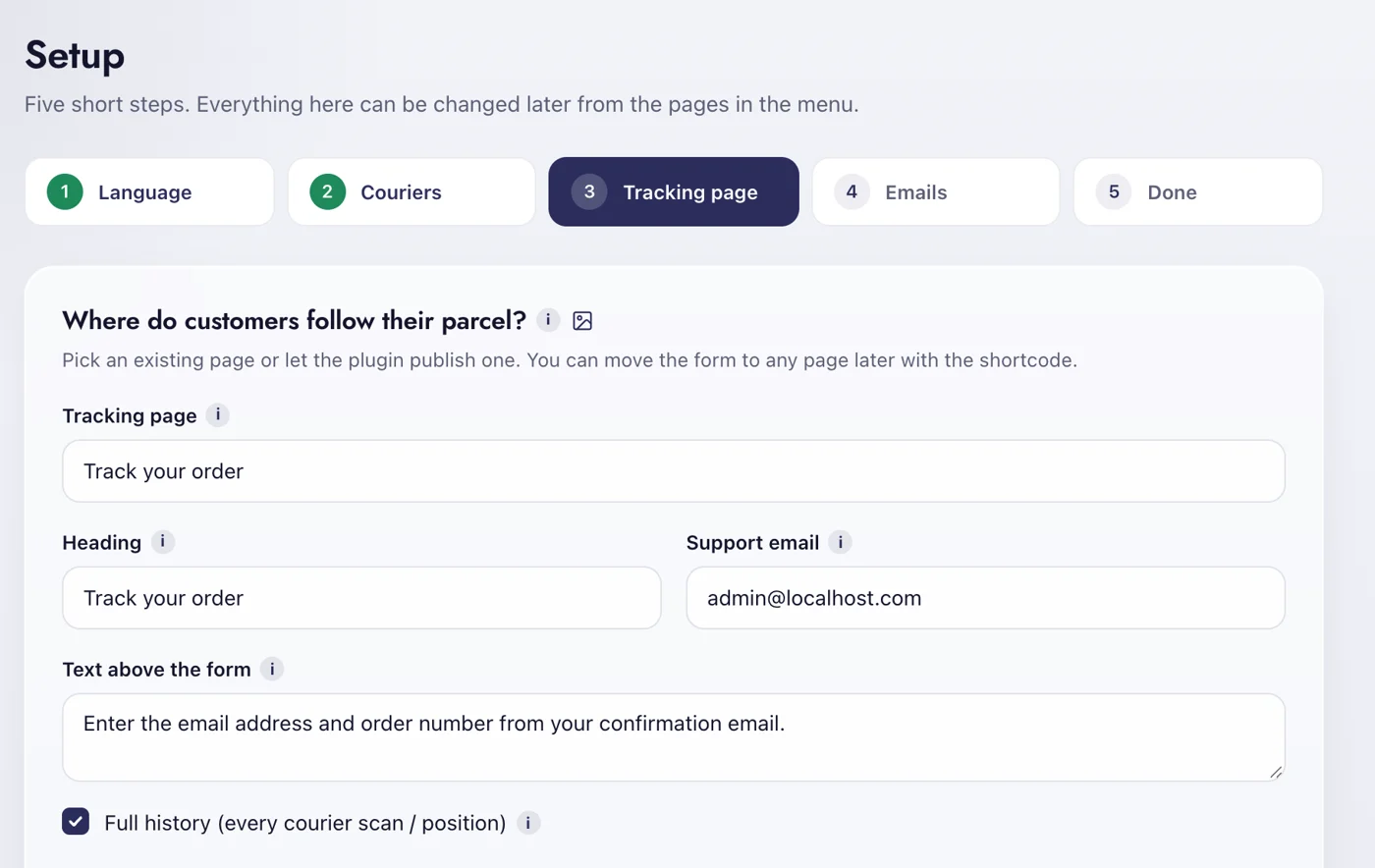
Pick any page and the form is added under its content, or place the shortcode yourself.
- Email and order number, nothing else to type
- Full scan history if you want it, or just the latest status
- Support email and phone shown next to the result
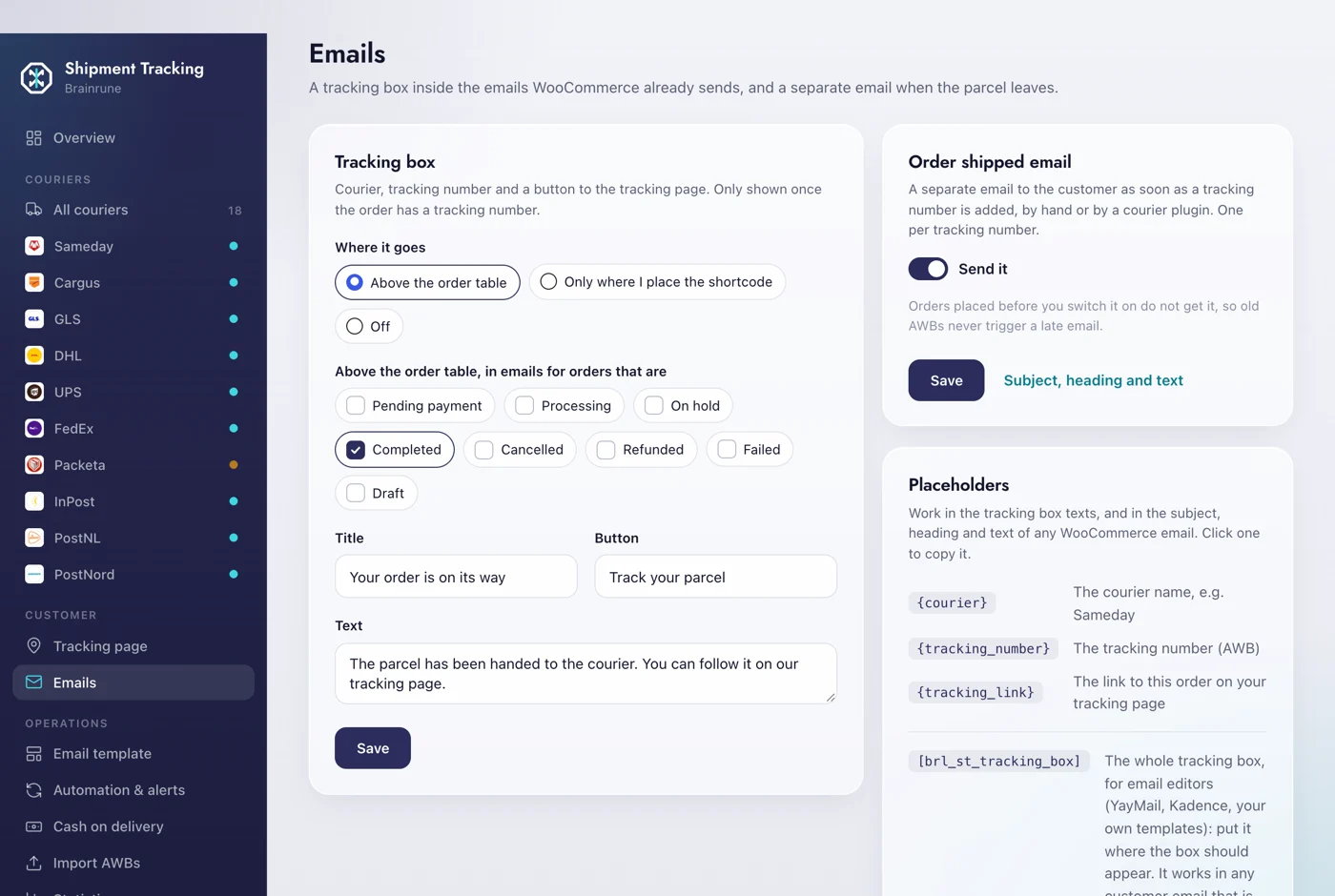
The status inside the emails you already send
A tracking box in the WooCommerce emails you pick, plus an optional Order shipped email the moment a parcel number appears.
- Above the order table or wherever you place the shortcode
- Only for the order statuses you tick
- {courier}, {tracking_number} and {tracking_link} in any email subject
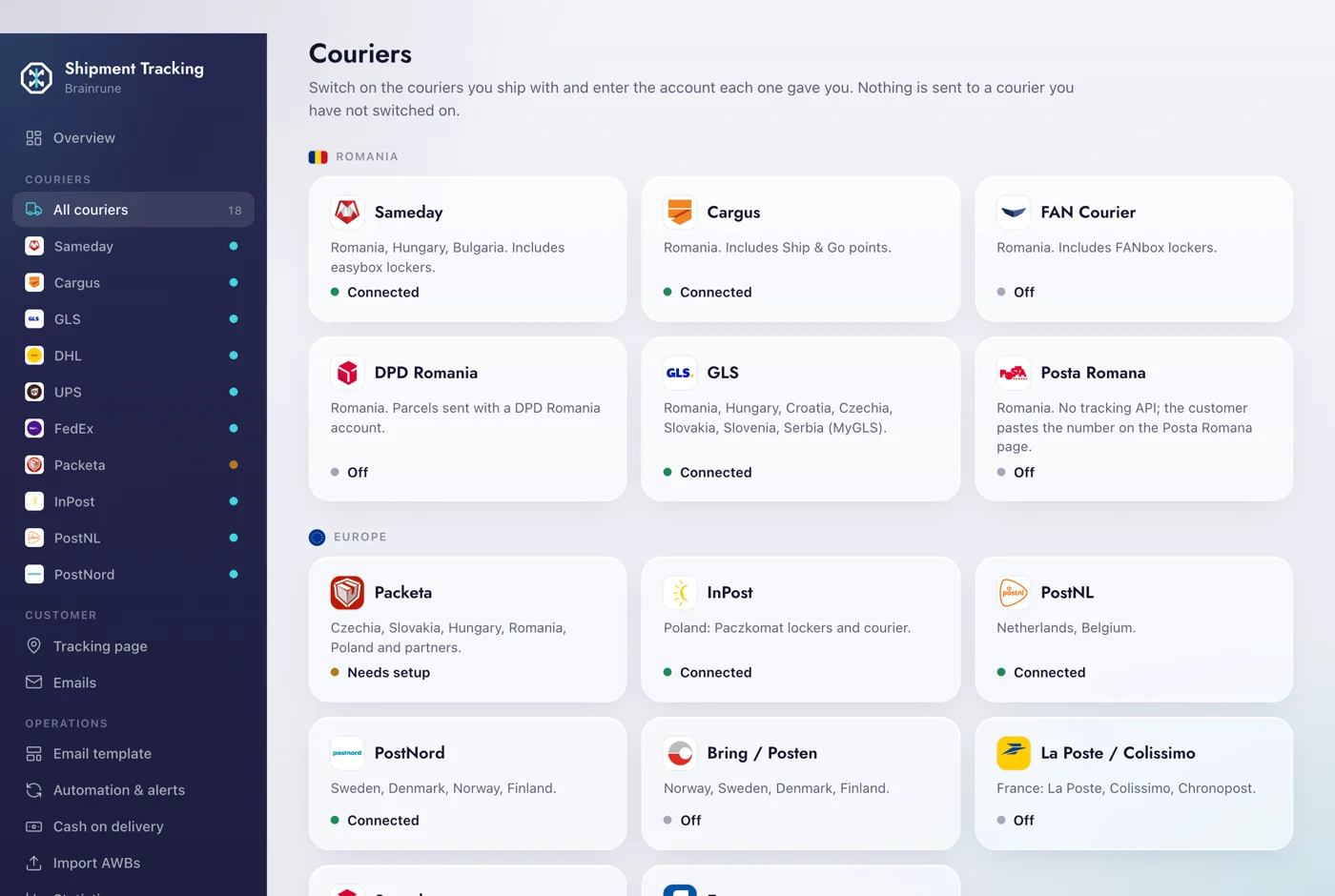
18 couriers, your own accounts
Switch on the couriers you ship with and enter the account each one gave you.
- Romania, Europe and worldwide, grouped by region
- Status matches what you see in the courier dashboard
- Nothing is sent to a courier you have not switched on
The parcel inside your orders list
A Shipment column with the live status; the order status follows the parcel, with a note at every change.
- Refreshed in the background every hour
- Delivered orders complete themselves
- Returned and refused parcels marked on the order

Told only when something needs you
An alert by email or Telegram on a refusal, and a daily list of parcels that stopped moving.
- Thresholds you set: days without a scan, days in a locker
- One digest a day, not one email per parcel
- Send it now, to test the setup

Email or SMS at the steps you pick
Messages to the customer through your email or SendSMS.ro and Twilio, with a live preview.
- Picked up, out for delivery, in the locker, delivered
- Your text, your sender
- Review requests a few days after delivery

The Order shipped email, built from blocks
Logo, heading, text, tracking box, button and order summary, previewed on a real order.
- Drag the blocks, see the result at once
- Send a test to yourself
- Uses your shop colours

Cash on delivery, followed until paid
What the couriers collected and what they paid back, per courier.
- Collected, paid and still owed
- Payout reports imported from the courier
- Last 120 days at a glance

Delivery times and returns, per courier
Parcels, delivered, returned and days to deliver, per courier and per county.
- Last 30, 90 or 365 days
- Spot the courier that is slowing you down
- Orders abroad show the country

Parcel numbers in bulk from a CSV
Order number and parcel number on each row; a check before anything is written.
- Shows what will be added, skipped or missing
- Courier column optional
- Works with any courier export

Ask an AI assistant about your parcels
Five abilities for Claude, Codex, Gemini CLI or Cursor through the WordPress Abilities API.
 Claude
 Codex
 Gemini CLI
 Cursor
- Track a parcel, list the stuck ones
- Add a parcel number to an order
- Copy-paste setup on the MCP Control screen

Which couriers does it work with?
Each one is switched on with the account the courier gave you, so the status matches what you see in their dashboard. The setup wizard shows the couriers of your country first.
 Romania8
 Bulgaria3
 Hungary3
 Poland2
 Czechia2
 Slovakia2
 Croatia, Slovenia, Serbia1
 Netherlands, Belgium1
 Sweden, Denmark, Norway, Finland2
 France1
In Romania the wizard offers6 couriers, then the worldwide ones


Set up in five steps.
A wizard opens on activation. Everything it asks can be changed later from the plugin’s own screens.
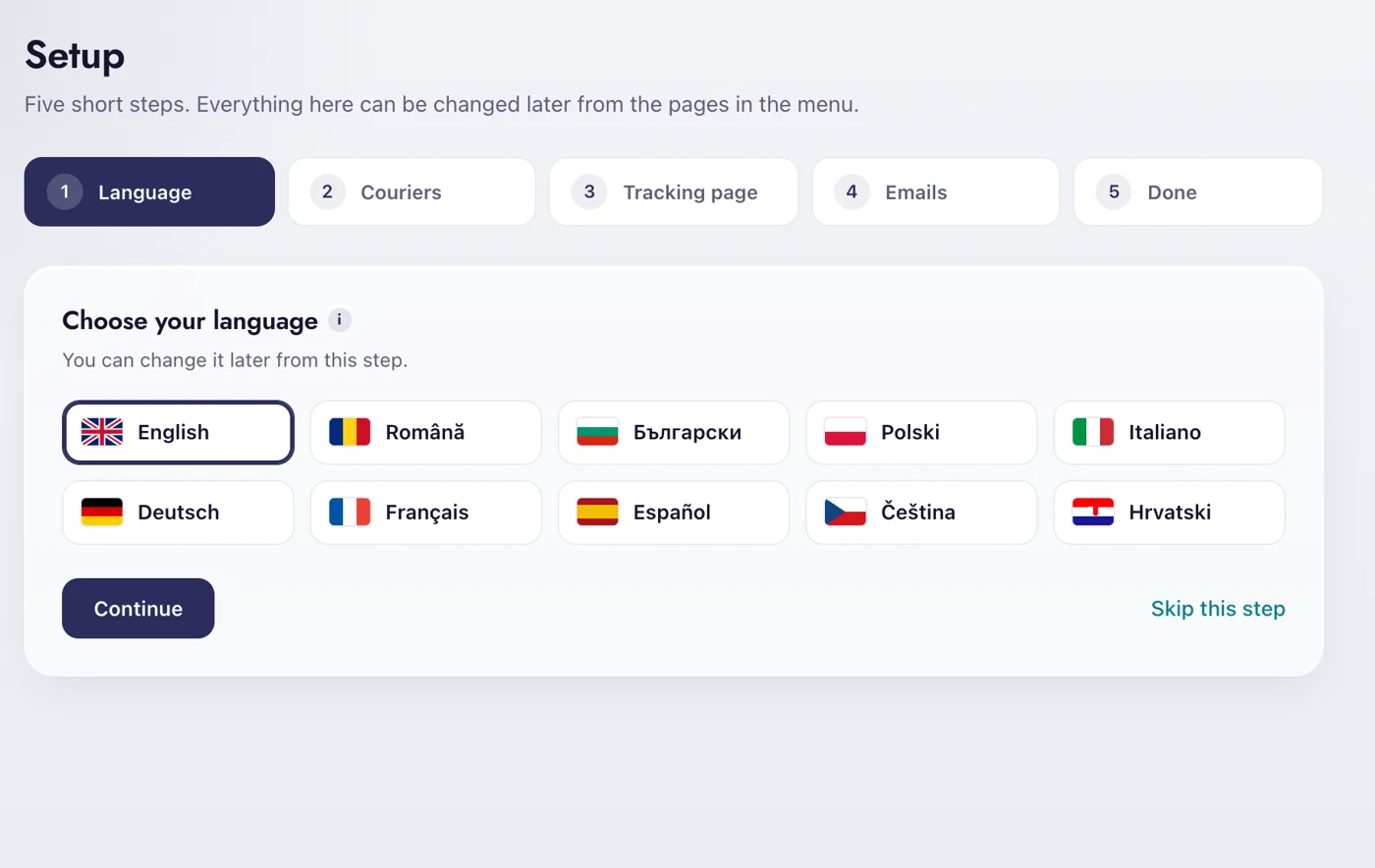
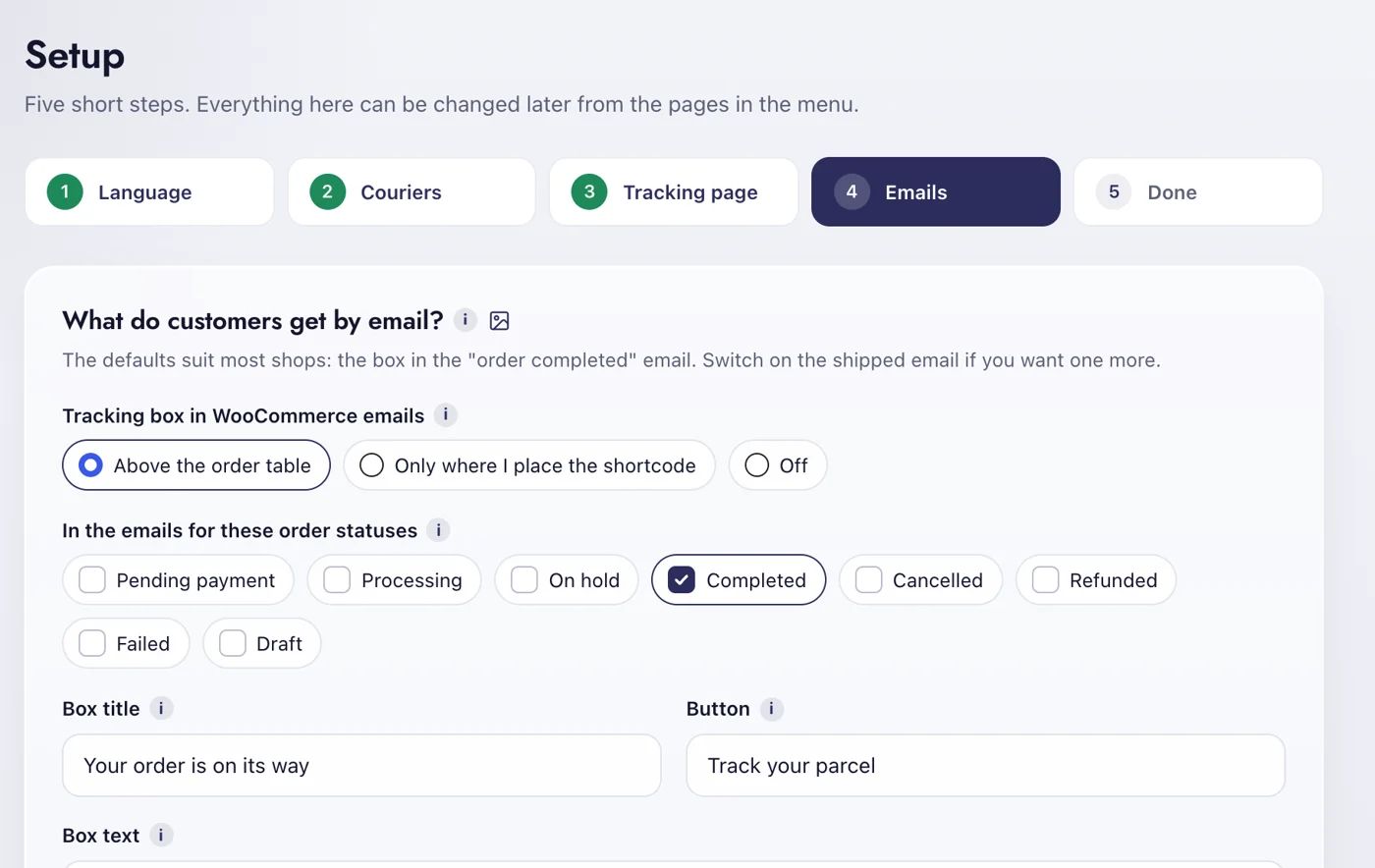
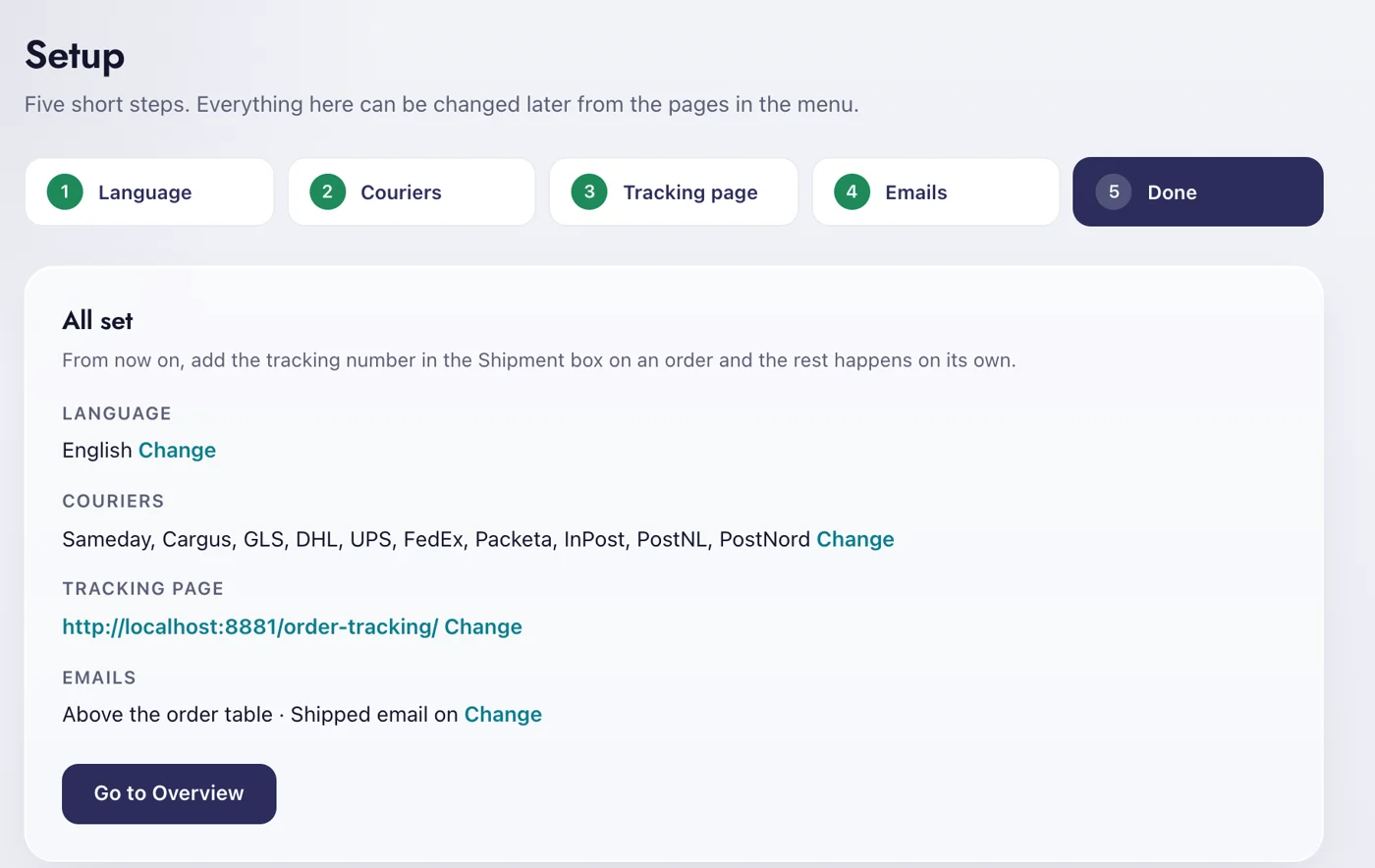
- 1LanguageTen languages, independent of the WordPress language.
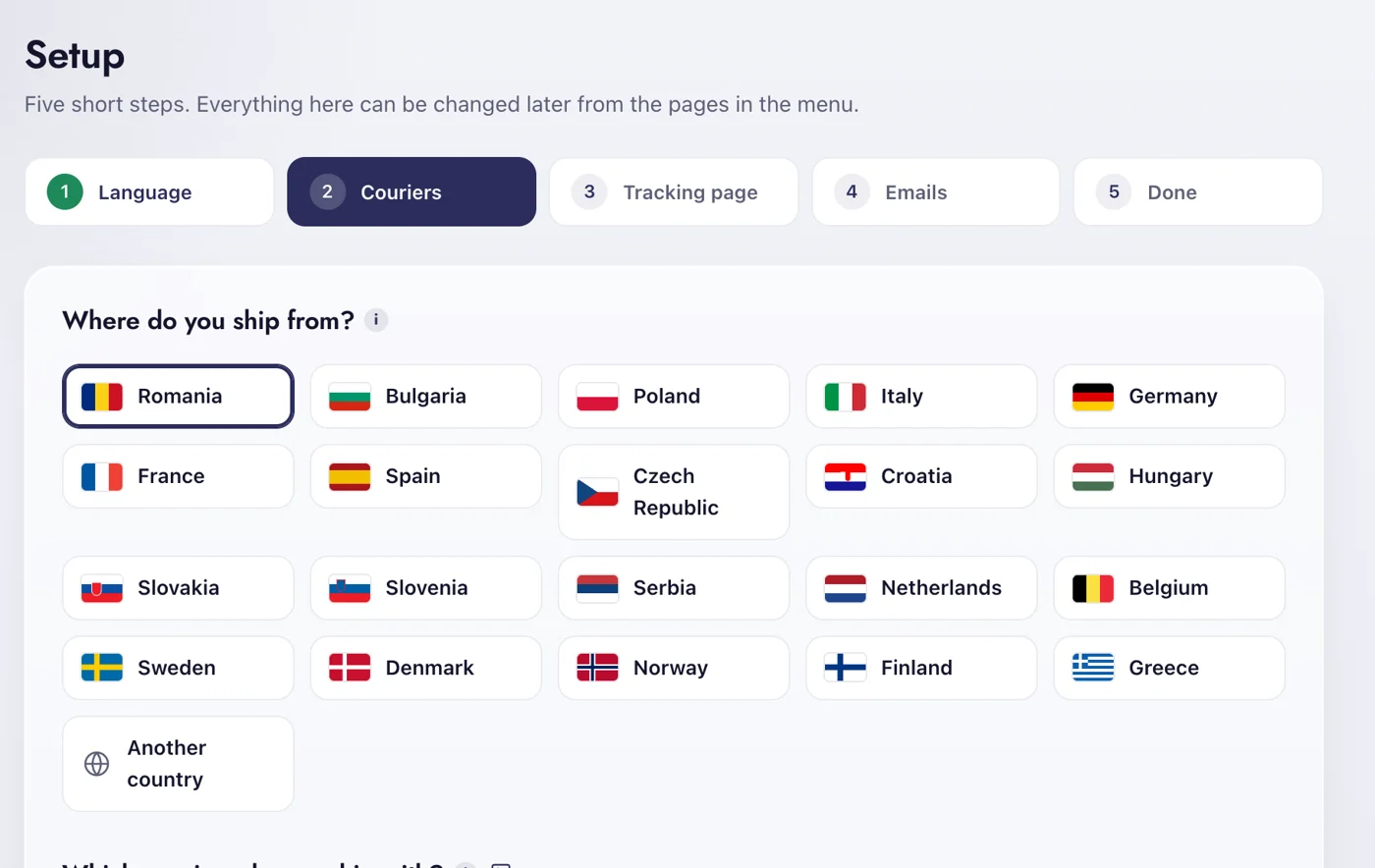
- 2Country and couriersYour country’s couriers first, the worldwide ones always.
- 3Tracking pagePick a page or create one on your domain.
- 4EmailsWhere the tracking box goes, and the Order shipped email.
- 5DoneA summary with a change link next to every choice.
Free does the customer side Pro runs the parcels for you.
Everything a customer sees is free. Pro is for the people who ship: the orders list, alerts, cash on delivery and the numbers.
English, Romanian, Bulgarian, Polish, Italian, German, French, Spanish, Czech and Croatian, for the admin, the tracking page and the emails.
How much does Pro cost?
In euro. The price you see is what you pay.
The customer side: the tracking page, the emails and all 18 couriers, on as many sites as you want.
- Tracking page on your domain, with the full scan history
- Tracking box in the WooCommerce emails you choose
- Order shipped email when a parcel number appears
- 18 couriers, the setup wizard and 10 languages
- Needs attention list on the overview
For the people who ship. One store, month by month, cancel whenever you want.
- Shipment column in Orders, status follows the parcel
- Instant alert on refusal, daily list of stuck parcels
- Customer messages by email or SMS through SendSMS.ro or Twilio
- Review requests a few days after delivery
- Cash on delivery, statistics and CSV import of parcel numbers
- MCP for AI assistants
- Support chat in your account
- Move the key to another store from your account
- Twelve months of updates and support in one payment
Before you install.
Does it ask the courier on every page view?
No. The status is saved for as long as you set in Settings, 30 minutes by default, and delivered or returned parcels are kept for a week. Customers refreshing the page do not turn into hundreds of API calls.
I already use a courier plugin. Does it see those parcel numbers?
Yes. It reads the tracking numbers the Sameday and Cargus plugins write on the order, and anything typed in the box on the order screen. Nothing to copy by hand.
Is anything sent anywhere?
Only to the couriers you switch on, with your own accounts, to ask for a status. The free plugin has no licence check and sends nothing to us.
Which languages?
English, Romanian, Bulgarian, Polish, Italian, German, French, Spanish, Czech and Croatian, for the admin, the tracking page and the emails.